
If you’re seeing an Insecure Connection error when trying to load your event site or admin portal, don’t worry, it’s often caused by a simple cookie issue in your browser. Here’s how to clear your cookies and get back on track quickly.
⚙️ What Causes the Error?
This error typically happens because of specific cookies saved in your browser that block certain URLs.
-
One common culprit is the doubleclick.net cookie.
-
These cookies can sometimes prevent secure pages from loading, triggering the Insecure Connection warning.
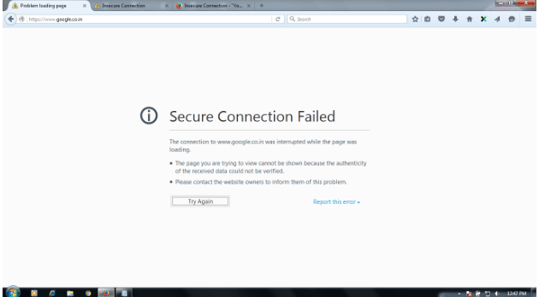
Cookies are small files stored by websites to save your settings or track activity. Sometimes they interfere with secure site loading.
🛑 How to Clear Cookies in Google Chrome
Follow these quick steps to clear your cookies and remove the block:
-
Open Google Chrome.
-
Click the three dots icon in the top-right corner to open the menu.
-
Select Settings from the dropdown.
-
Under the Privacy and Security section, click Clear browsing data.
-
Make sure Cookies and other site data is checked.
-
Click Clear data to remove the cookies.
Clearing cookies will sign you out of most websites and remove saved preferences. Make sure you have login information handy if needed.
✅ Why This Fixes the Problem
-
Removing cookies clears out stored site data that could be blocking secure URLs.
-
Once cleared, your browser can load the site securely without interference from problematic cookies.
It’s good practice to clear cookies periodically if you experience unusual site behavior or loading errors.
🧹 Why Clearing Your Cache Can Help as well
Clearing your browser cache can fix issues caused by outdated or stored data. Over time, your browser saves files (like images and scripts) to help pages load faster, but those saved files can sometimes cause things to look or behave incorrectly.
Clearing your cache can help:
-
Fix pages that don’t load properly or appear broken
-
Make sure you’re seeing the most recent updates
-
Resolve login or display issues
-
Improve overall site performance
💡Clearing your cache is a quick way to “refresh” your browser and eliminate glitches caused by old data, and it won’t affect your account or saved information.