
Want to drive more ticket sales by promoting your ClickBid event on Facebook? Here’s how to add your ticket page URL directly to a Facebook event so guests can buy tickets with one click.
Step-by-Step Instructions
-
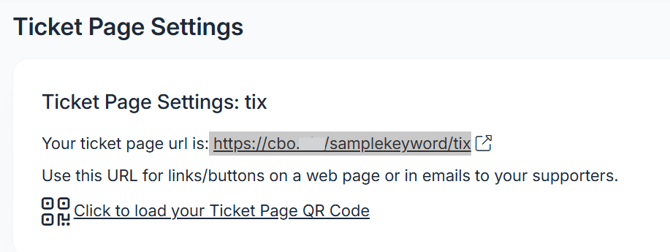
Go to Event Tickets > Ticket Page Settings in ClickBid.
-
Locate and highlight, right click & copy the link starting at https://
-
You can also highlight the link the click: ctrl and c to copy.
-
-
Open Facebook and create a public event.
-
In the Ticket URL field, paste your ticket page URL.
-
It might look long and messy don’t worry, that’s normal!
-
-
Click Save or Create to finish setting up your Facebook event.
-
Test the link by clicking it from the Facebook event and confirming it takes you to your ClickBid ticket page.